Tutorial 15: Gaussian Splatting Backgrounds#
Objective: Learn how to use photorealistic 3D Gaussian Splatting backgrounds for enhanced visual diversity.
What you’ll learn:
Setting up 3D Gaussian Splatting rendering
Integrating GS backgrounds with robot simulations
Improving policy generalization with diverse backgrounds
Prerequisites: Completed Tutorial 14: Real Assets
Estimated time: 25 minutes


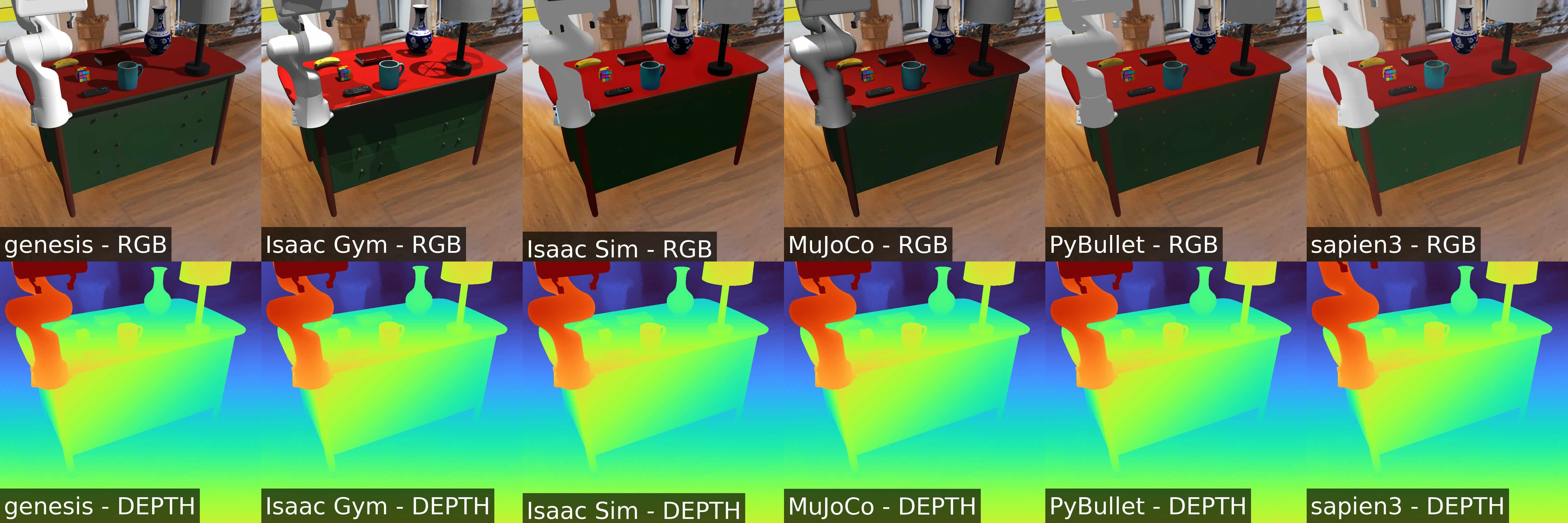
This tutorial demonstrates how to use 3D Gaussian Splatting (3D GS) scene assets generated by EmbodiedGen within MetaSim, with photorealistic rendering powered by RoboSplatter. This integration enables diverse and realistic backgrounds, enhancing the generalization of robot policies across multiple scenarios.
You can generate more 3DGS scene assets using EmbodiedGen’s 3D Scene Generation.
Installation#
pip install -e .[robosplatter]
Running the Tutorial#
python examples/15_gs_background.py --sim <simulator>
In headless mode:
python3 examples/15_gs_background.py --sim pybullet --headless
python3 examples/15_gs_background.py --sim sapien3 --headless
python3 examples/15_gs_background.py --sim genesis --headless
MUJOCO_GL=egl python3 examples/15_gs_background.py --sim mujoco --headless
python3 examples/15_gs_background.py --sim isaacgym --headless
python3 examples/15_gs_background.py --sim isaacsim --headless
Expected Output#
You will get the following image: